
Track orders, contact support, and FAQ
The Orders page
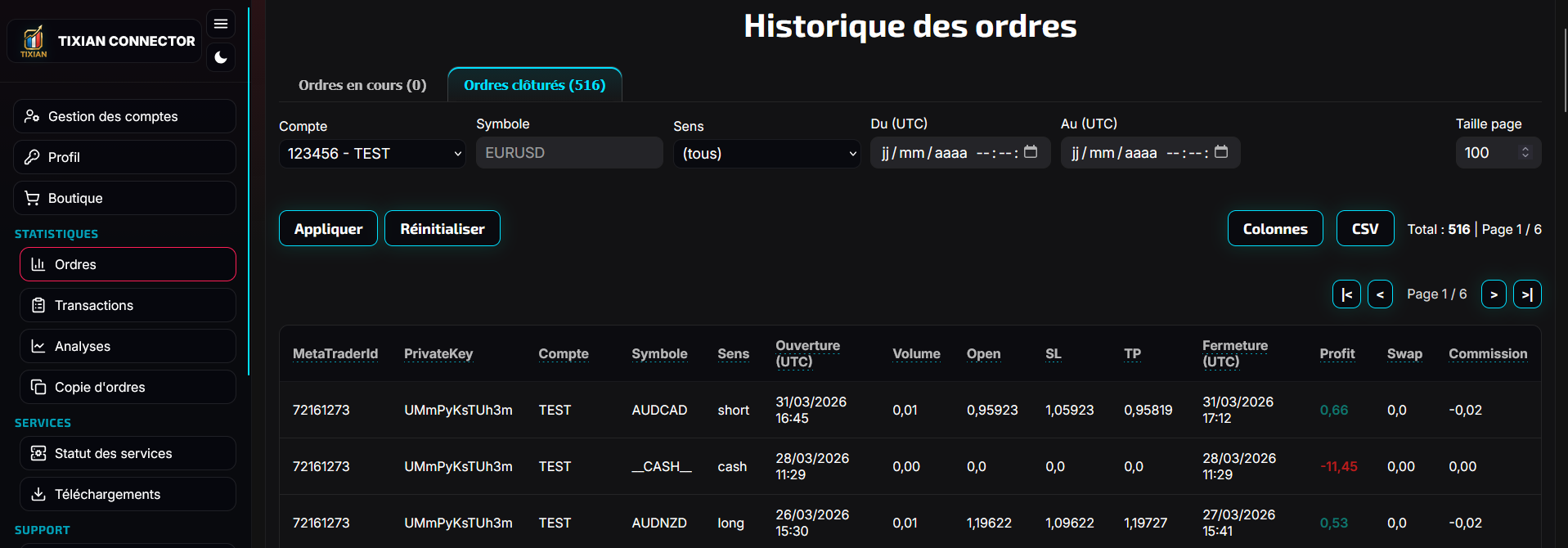
The page Orders lets you see orders received by the system.
You can usually filter by:
- account
- symbol
- side
- period
- open or closed orders
You will typically find the account, symbol, side, volume, risk, open price, stop loss, take profit, and an information field.
The Transactions page
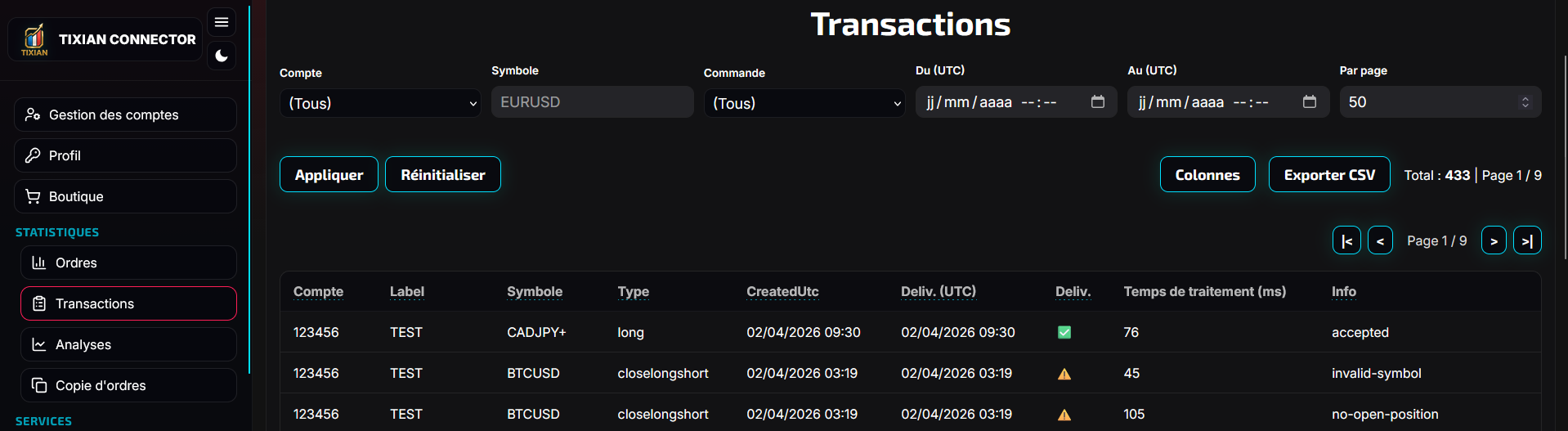
The page Transactions lets you see what was actually processed.
You will typically see:
- account
- symbol
- command
- creation date
- delivery date
- the Delivered status
- the ErrorText field if there is an error
Simple rule:
- Orders = what was received
- Transactions = what was processed
How to verify a test
After a TradingView test or a robot test, always check in this order:
- the account status dot is green (online)
- the order appears in Orders
- the action appears in Transactions
- if there is an error, read ErrorText or the robot logs
Open a support ticket
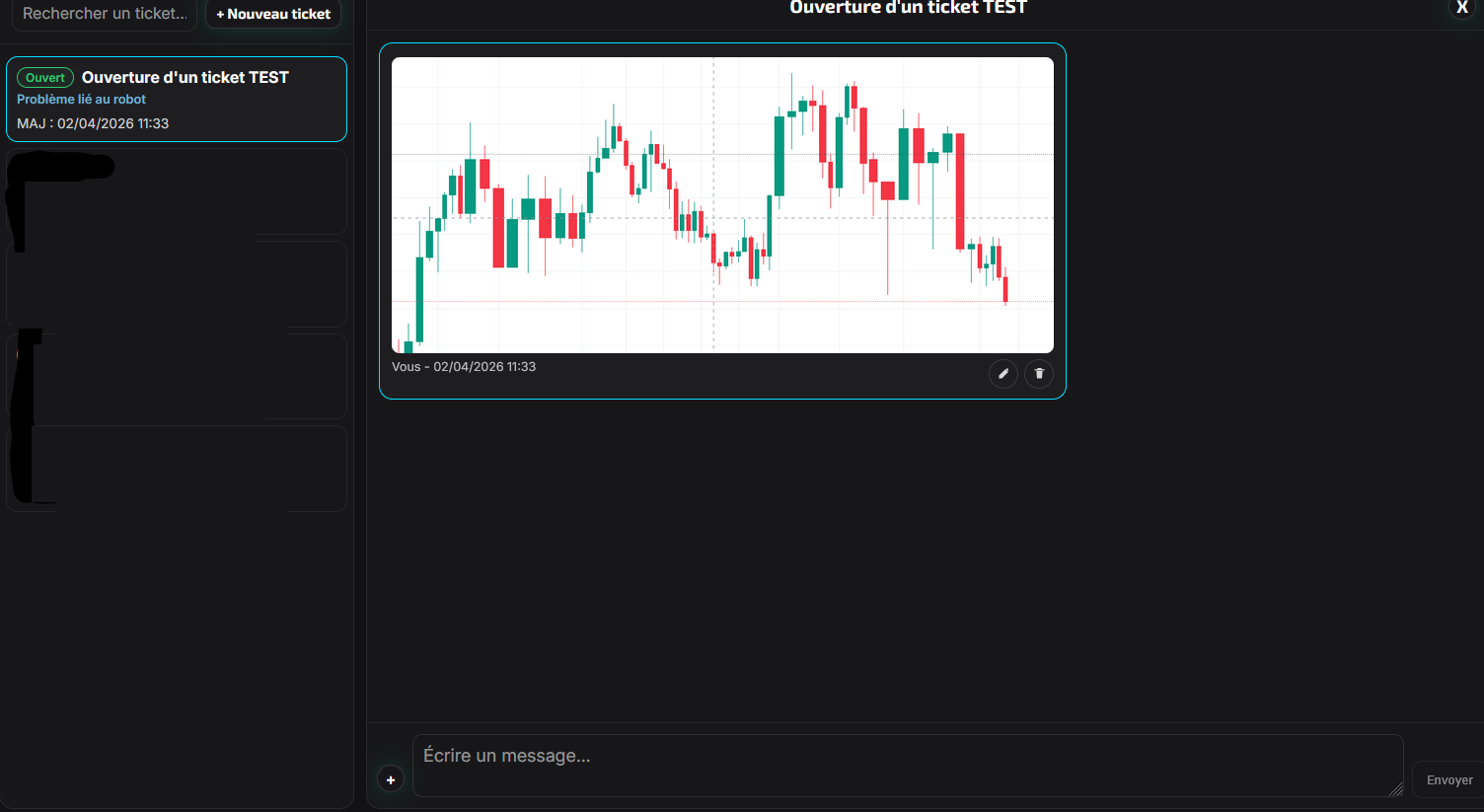
Use My tickets if something does not work or if you do not understand an error.
A good ticket should include:
- the account concerned
- the date and time of the issue
- the symbol concerned
- the expected action
- the actual observed action
- the exact error message
- a screenshot
Final check before going live
- my subscription is active
- my account is visible in Account management
- the account dot is green (online)
- the robot private key is correct
- my webhook is correct if I use TradingView
- my robot is attached to an open chart
- AutoTrading or Algo Trading is enabled
- my PriceMode matches the values I send
- I completed at least one demo test
FAQ
My TradingView alert triggered but no order appears
Check in this order:
- the webhook
- the privateKey or private key
- the side field
- the symbol field
- whether the account is online
- the robot logs
I get a symbol error
Your broker probably uses a suffix or prefix. Try:
- a symbol mapping list in Account management
- or AutoResolveBrokerSymbol on the MT5 robot side
I get a risk-related error
Check:
- that risk is present if you use RISK_FROM_TV_PERCENT
- that risk is greater than
0 - that the value remains reasonable
My pending order is rejected
Check:
- that you are using price
- that the price is on the correct side of the market
- that sl and tp are consistent with your PriceMode
My second trade is rejected
Check whether AllowMoreThanOneTrade is disabled.
What happens if I close MT4 or MT5
The robot stops and no longer receives new signals. For continuous automation, keep the platform open or use a VPS.
I think there is a global incident
Open Service status to check whether the platform is affected before opening a ticket.