
Get started with TIXIAN
Overview
TIXIAN lets you connect a MetaTrader account, receive signals from TradingView, and track your orders and transactions directly from the Dashboard.
To get started, the goal is simple: add an account, copy your private key, install the robot, and run a first test on a demo account.
What you need before you start
- An MT4 or MT5 account
- Access to the TIXIAN Dashboard
- Your MetaTrader account number
- TradingView if you want to use automated alerts
- A demo account for your first tests
Important Dashboard pages
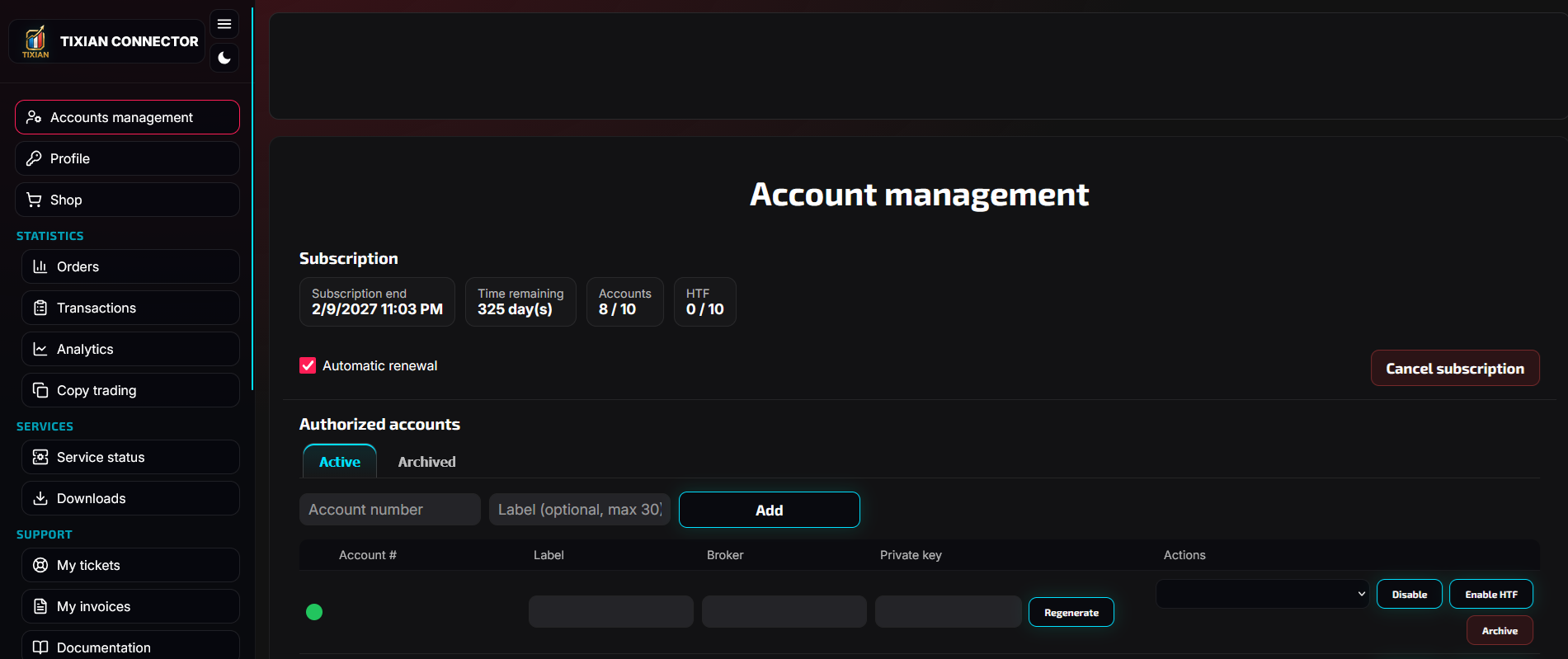
- Account management: add an account, copy the private key, and check whether the account is online
- Orders: view received orders
- Transactions: view processed orders
- Downloads: download the MT4 or MT5 robot
- My tickets: contact support
- My invoices: view or download your invoices
- Service status: check whether a TIXIAN service has a global incident
Recommended first-test flow
- Add an account in Account management
- Copy the private key
- Install the robot on MT4 or MT5
- Check that the account is online
- Create a test alert in TradingView
- Check the result in Orders, then in Transactions
Beginner recommendation: always start on a demo account. Once the full workflow is validated end to end, you can reproduce the exact same setup on a live account.